
How to Fix Phone Charging Slow: 10 Easy Solutions
Introduction
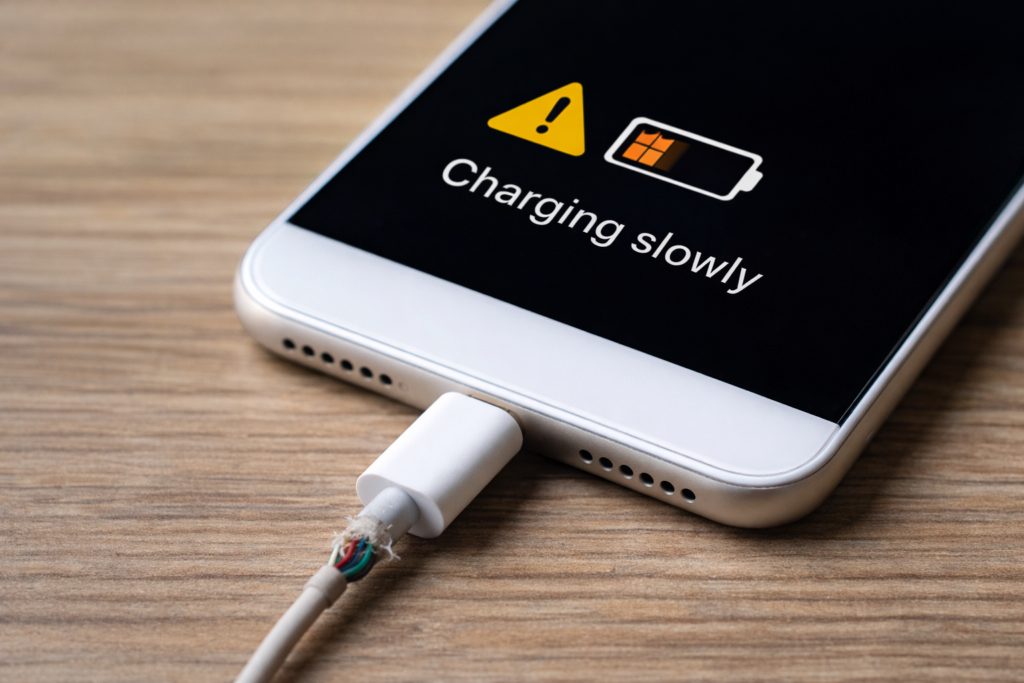
Is your phone charging slowly even when it is plugged in properly? Slow phone charging is a common problem faced by many users, and in most cases, it can be fixed at home.
However, you do not need to rush to a service center or replace your phone immediately. Instead, by understanding the real causes of slow charging, you can solve the problem quickly and safely.
Therefore, in this guide, you will learn simple and effective ways to fix phone charging slow and make your device charge faster.
1. First, Check the Charging Cable
First, a damaged or low-quality charging cable is one of the most common reasons for slow charging.
What to do:
- Try using an original or certified cable
- Avoid cheap or thin cables
- Replace the cable if charging improves with another one
2. Use the Correct Power Adapter
However, using a low-power adapter can significantly reduce charging speed.
Solution:
- Use the charger that came with your phone
- Make sure it supports fast charging if your phone allows it
3. Clean the Charging Port
Moreover, dust, lint, or dirt inside the charging port can block proper contact.
Safe cleaning steps:
- Turn off your phone
- Use a wooden toothpick or soft brush
- Never use metal objects
4. In Addition, Avoid Using Your Phone While Charging
In addition, using your phone for gaming, videos, or social media while charging slows down the process.
Tip:
Let your phone rest or turn on airplane mode while charging.
5. Turn On Airplane Mode
Airplane mode disables background connections and allows faster charging.
How to enable:
- Swipe down from the top
- Turn on airplane mode
- Charge for 20–30 minutes
6. Meanwhile, Close Background Apps
Some apps run continuously and consume power.
Fix:
- Close unused apps
- Restart your phone
- Remove apps you no longer use
7. Update Your Phone Software
Outdated software may contain bugs that affect charging performance.
Steps:
- Go to Settings
- Check for software updates
- Install the latest version
- For example, smartphone manufacturers like Google and Apple also recommend keeping your device software updated to maintain proper battery performance.
8. Avoid Overheating
As a result, high temperature slows down charging and damages battery health.
Best practice:
- Remove the phone case while charging
- Keep the phone away from heat
- Charge in a cool place
9. Charge Using a Wall Socket
Charging from a laptop or power bank is usually slower.
Recommendation:
Always use a wall socket for faster and stable charging.
10. Finally, Replace the Battery (If Necessary)
If your phone is very old, the battery may no longer hold charge properly.
Warning signs:
- Phone heats up quickly
- Battery drains fast
- Charging remains slow even with new accessories
Final Thoughts
Finally, following these simple steps can significantly improve your phone’s charging speed and extend battery life. As a result, these small changes can make a noticeable difference in daily charging performance.
If you want to learn more about our website and mission, you can visit our About Us page.